
Related Articles
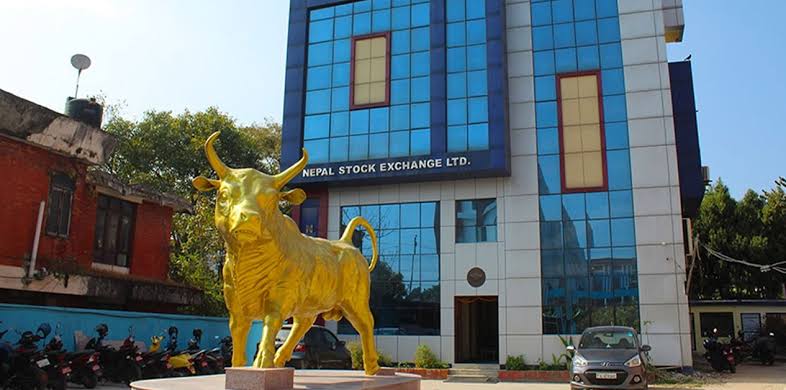








How to Use the NEPSE Website and Online Trading System | NepInsights
The Ultimate Guide: NEPSE TMS Login Steps & How to Buy Shares for Beginners
The Nepal Stock Exchange (NEPSE) is the only stock market in Nepal. With the launch of the Nepal stock exchange new website and improved online trading systems, beginners can buy and sell shares easily.
However, many new investors still struggle with:
o How to register
o How to login
o How to use TMS
o How to buy or sell shares
o How to use EDIS
o What fees and taxes they must pay
This simple guide explains everything step-by-step so that beginners can understand easily. Whether you want to learn about nepal stock exchange login, or understand the nepal stock exchange online trading system, this blog will help you get started.
What You Need Before You Start Trading
To trade shares in Nepal, you need a few mandatory accounts:
1. Bank Account
Used to fund your trading and receive dividends.
2. Demat Account
A digital locker for your shares.
You get a 16-digit BOID (Beneficiary Owner ID), which looks like:
130XXXXXXXXXXXXX
Your BOID is your identity in the share market.
3. MeroShare Account
Used for:
- Applying for IPOs
- Checking your portfolio
- Doing EDIS after selling shares
Annual Fee:
Demat AMC: NRs. 100
MeroShare Fee: NRs. 50
4. Broker Account (TMS)
Trading happens only through brokers.
Your broker gives you:
- TMS Username
- Client Code
- Password
This allows you to trade online.
Step-by-Step Guide to Start Online Trading in NEPSE
Step 1: Choose a Broker and Register
To start stock trading in Nepal, you cannot directly trade on the Nepal Stock Exchange new website.
You must first choose a licensed broker.
What you need to do:
Visit the broker’s office or fill up their online form.
Submit citizenship, photos, bank details, and KYC details.
After verification, the broker will give you:
· Client Code
· Username
· Password
These are used for login into the Trading Management System (TMS).
Most brokers do not charge for opening a TMS account.
Step 2: NEPSE Login – How to Access TMS
Each broker has their own TMS URL.
The format usually looks like:
https://tms.broker-number.nepsetms.com.np
Example:
tms49.nepsetms.com.np
How to Login
Open your broker’s TMS link
Click Login
Enter:
· Username/Client Code
· Password
Enter the security code (captcha)
Click Submit
Once you log in, you reach your dashboard where all trading options are available.
Step 3: Understanding the NEPSE TMS Dashboard
The dashboard of the Nepal stock exchange trade management system is simple and useful.
You will find:
- Buy/Sell Order
- Order Book
- Trade Book
- Portfolio
- Fund Management
- Price List
- Market Depth
These features allow you to check share prices, place orders, track your shares, and manage money — all online.
How to Buy Shares on NEPSE (Simple Steps)
Buying shares online in Nepal is easy once you know the steps.
Steps to Buy Shares
Go to Buy/Sell tab
Choose Buy
Select the company (example: NIFRA, NLIC, NICA)
Enter:
· Quantity (how many units to buy)
· Price (limit price you want to buy at)
Click Submit
If you have enough balance, your order will be sent to the market. If the market price matches your price, your order gets executed.
How to Sell Shares on NEPSE
Step 1: Place Sell Order on TMS
- Go to Buy/Sell
- Select “Sell”
- Choose company
- Enter quantity
- Enter selling price
- Submit
If matched, the sale is completed.
Step 2: EDIS Authorization (VERY IMPORTANT)
EDIS (Electronic Delivery Instruction Slip) is required to transfer your sold shares.
Without EDIS → Your sale will fail.
EDIS Deadline
- Must be completed within T+1
(T = day of sell, +1 = next working day)
EDIS Steps
- Login to MeroShare
- Go to My ASBA > EDIS
- Select the company
- Tick the sold shares
- Submit
After EDIS approval, shares move to the broker and settlement completes successfully.
Trading Time on NEPSE
Here are the official NEPSE online trading hours:
|
Session |
Time |
|
Pre-Open Session |
Around 10:30 AM – 10:45 AM |
|
Regular Trading |
11:00 AM – 3:00 PM |
|
Days |
Sunday – Thursday |
NEPSE remains closed on Fridays, Saturdays, and public holidays.
Settlement Process
After buying or selling shares:
The trade is confirmed on the same day
Shares and money are exchanged usually within T+2 days
(T = Trade day, +2 = two working days after)
This means if you buy on Sunday, shares come to your Demat on Tuesday.
Your Portfolio on NEPSE TMS
Your portfolio shows:
- Companies you own
- Number of shares
- Average buy price
- Current market price
- Total profit/loss
This helps you track your investment performance easily.
Fund Management: How to Add Money in Nepse
To buy shares, you must deposit money into your broker account.
Steps:
- Go to Fund Management
- Click Fund Deposit
- Follow your broker’s payment method (bank transfer, connectIPS, QR, etc.)
After confirmation, your trading balance increases. Now you can buy shares easily.
About the New Nepal Stock Exchange Website
The Nepal stock exchange new website is more modern, user-friendly, and mobile-friendly. It includes:
- Real-time market data
- Market depth
- Price lists
- Indices
- Top gainers/losers
- Historical charts
- Company news and notices
The website also supports digital trading information and integrates well with TMS.
NEPSE Online Trading System (NOTS)
The nepal stock exchange online trading system is called NOTS (NEPSE Online Trading System). This system allows:
- Online buy/sell orders
- Real-time trade execution
- Portfolio tracking
- Market research
- Trading from anywhere in Nepal
NOTS made share trading simple and accessible to all.
Read This Also: Nepal Stock Exchange Live Updates | Today’s Market Price & News | NepInsights
New Trade Management Systems
Recently, many brokers started using their own new trading systems. These systems are faster, smoother, and provide extra features like:
- Single login for multiple family members
- Portfolio analytics
- Better charts
- Easier order placement
- Improved user interface
This means NEPSE no longer has a “monopoly” on trading systems more options are available now.
Brokerage Fees, Taxes & Charges in Nepse
These financial details are mandatory to build trust and authority.
1. SEBON Brokerage Commission
|
Transaction Amount (NRs.) |
Brokerage Rate |
|
Up to 50,000 |
0.36% |
|
50,001 – 5,00,000 |
0.33% |
|
5,00,001 – 20,00,000 |
0.30% |
|
20,00,001 – 1 Crore |
0.27% |
|
Above 1 Crore |
0.24% |
Minimum Brokerage Fee: NRs. 10 per trade.
2. Other Mandatory Charges
|
Fee Type |
Rate / Amount |
|
SEBON Transaction Fee |
0.015% |
|
DP Charge (Share Transfer) |
NRs. 25 per company per day |
|
Capital Gain Tax – Long Term (>365 days) |
5% |
|
Capital Gain Tax – Short Term (≤365 days) |
7.5% |
|
Demat AMC |
NRs. 100/year |
|
MeroShare Fee |
NRs. 50/year |
These costs apply every time you trade, so beginners must know this clearly.
Tips for Beginners while trading in NEPSE
- Start with small amounts
- Don’t panic if prices go up or down
- Always check a company’s past performance
- Avoid trading blindly based on rumors
- Keep your login details safe
- Deposit money before market opens
- Practice how order prices work
Conclusion
Using the Nepal stock exchange new website and the nepal stock exchange online trading system is easier than most people think. Once you complete registration, login to your broker’s TMS, and understand the basic features, trading becomes simple. Whether you’re a new investor or someone learning stock trading in Nepal, this step-by-step explanation will help you start your trading journey confidently.
Frequently Asked Questions (FAQs)
1. What is nepal stock exchange com np?
This refers to NEPSE’s official website hosted under Nepal’s local domain (.com.np).
2. Can I trade directly on the NEPSE website?
No. You must trade through a broker using their TMS system.
3. How to register on NEPSE for online trading?
- Choose a broker
- Fill out KYC
- Submit documents
- Get TMS username and password
4. Is online trading safe?
Yes. NEPSE uses secure login, OTP, and encrypted systems. Just don’t share your password with anyone.
5. Do I need a Demat account?
Yes. A Demat account is compulsory for stock trading in Nepal.
Don't Foget To Follow Nepinsights For More Blogs.
React to this post
Related Articles